
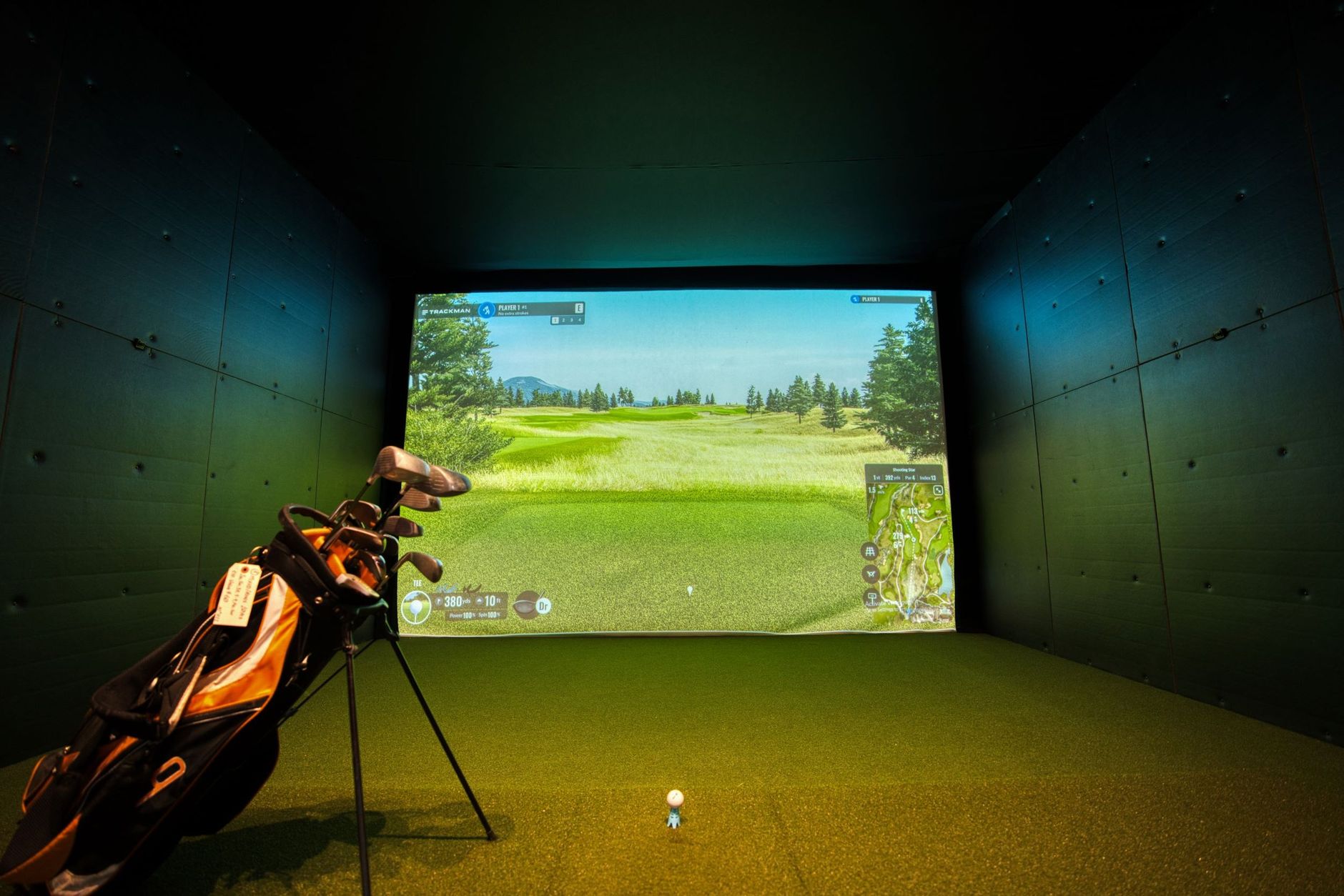
Golf simulator systems have become essential for golf enthusiasts looking to refine their skills from the comfort of home. With advancements in indoor golf tech, these systems allow players to engage in realistic simulation practice, replicating the experience of being on the course without ever leaving their living room. In this article, we’ll dive into why golf simulator systems are a must-have for anyone serious about improving their game. We’ll explore the top golf simulator systems on the market, highlighting key features to consider, and provide insights on how to set up your own home golf simulator effectively. Additionally, we will cover important aspects of maintaining your golf simulator system to ensure it remains in top shape. Whether you’re a seasoned pro or just starting out, choosing the right golf simulator system can transform your practice sessions and help you achieve your golfing goals. Ready to take your game to the next level? Let’s get started!
Why Golf Simulator Systems Are Essential for Home Practice
The Rise of Indoor Golf Tech
Golf simulator systems have gained immense popularity in recent years, making them essential tools for home practice. With advancements in indoor golf tech, these systems are more accessible and user-friendly than ever before. Players can now enjoy realistic simulations from the comfort of their homes, allowing them to practice regardless of weather conditions or time constraints. According to a report by Statista, the golf simulator market is projected to grow significantly, reflecting the increasing demand for at-home practice solutions.
Benefits of Golf Simulation Practice
Using golf simulator systems offers numerous benefits that enhance your skills in a controlled environment. First, they provide instant feedback on your swing, allowing you to make adjustments in real-time. This immediate analysis is crucial for effective simulation practice and helps you identify areas for improvement.
- Convenience: You can practice whenever you want, eliminating travel time and associated costs.
- Skill Development: Simulators often feature various courses and conditions, helping you adapt to different playing environments.
- Data Tracking: Many systems track metrics like swing speed and ball trajectory, providing valuable insights into your game.
As a result, integrating golf simulator systems into your home practice routine can dramatically enhance your performance and lower your scores. By investing in this innovative technology, you’re setting yourself up for success on the course.
Top Golf Simulator Systems for Home Use
High-End Golf Simulator Systems
If you’re looking for the best golf simulator systems, high-end options like TrackMan and SkyTrak offer unparalleled accuracy and features. TrackMan, known for its advanced radar technology, provides real-time data on every shot, making it ideal for serious golfers wanting to enhance their game with precise simulation practice. Prices typically range from $20,000 to $30,000, making it a premium choice.
On the other hand, SkyTrak is a more accessible option but still boasts impressive features, including a launch monitor and simulation software. At around $2,000, it’s best suited for golfers who want a professional feel without breaking the bank. SkyTrak provides excellent feedback and is compatible with various indoor golf tech, making it a versatile choice for home use.
- TrackMan:
- Pros: Exceptional accuracy, comprehensive data analysis
- Cons: Very high price point
- SkyTrak:
- Pros: Great value, compatible with many software options
- Cons: Less data precision compared to TrackMan
Budget-Friendly Golf Simulator Systems
For those on a tighter budget, systems like OptiShot and Phigolf provide excellent alternatives without sacrificing too much quality. OptiShot, priced around $400, is a popular choice for casual golfers. It uses infrared sensors to track shots, making it suitable for indoor use. While it may lack some advanced features, it allows for enjoyable simulation practice at home.
Phigolf is another great option, particularly for those who enjoy a more interactive experience. Priced around $300, it combines a mobile app with a motion-sensing device that allows you to swing the club and see your shot results on-screen. It’s perfect for family game nights or casual practice.
- OptiShot:
- Pros: Affordable, easy to set up
- Cons: Limited data tracking capabilities
- Phigolf:
- Pros: Interactive gameplay, affordable
- Cons: Less accurate than high-end models
Key Features to Look for in Golf Simulator Systems
Accuracy and Realism
When selecting golf simulator systems, the accuracy of the technology is paramount. A simulator should accurately track various metrics such as swing speed, ball speed, launch angle, and spin rates. Systems utilizing advanced indoor golf tech like high-speed cameras or radar technology can provide more precise readings, enhancing your overall experience. Look for simulators that boast an accuracy rating of at least 90% to ensure that your practice translates well to the real golf course.
Realism is equally important. The best golf simulator systems offer realistic graphics and immersive environments, allowing you to feel like you’re actually on the course. Some simulators use detailed 3D modeling to replicate famous golf courses, providing a more engaging experience during your simulation practice.
Software and Game Options in Golf Simulator Systems
The software included with your golf simulator system can significantly impact your enjoyment and effectiveness. A diverse range of game options is essential for keeping your practice sessions engaging. Look for systems that offer various game formats, including driving ranges, mini-games, and full-course play. Some top-tier simulators also provide online multiplayer options, enabling you to compete against friends or players worldwide.
Additionally, consider software that offers different skill levels and training modes. This ensures that you can tailor your practice to your specific needs, whether you’re a beginner or an advanced golfer. Regular software updates can also enhance your simulator’s capabilities over time, keeping it relevant and fun to use.
By focusing on these key features, you can find a golf simulator system that not only meets your needs but also elevates your game to new heights.
Setting Up Your Home Golf Simulator
Creating your own golf simulator at home can be an exciting project that significantly enhances your practice sessions. To get started, understanding the space and equipment requirements is crucial for selecting the best golf simulator systems that fit your needs.
Space and Equipment Requirements
First, evaluate the space available for your golf simulator. Ideally, you’ll need a room with a minimum height of 9 feet, a width of 10 feet, and a depth of at least 12 feet to accommodate your setup comfortably. This allows enough room for your swing and prevents any mishaps with walls or furniture.
When it comes to equipment, you’ll need a few key components:
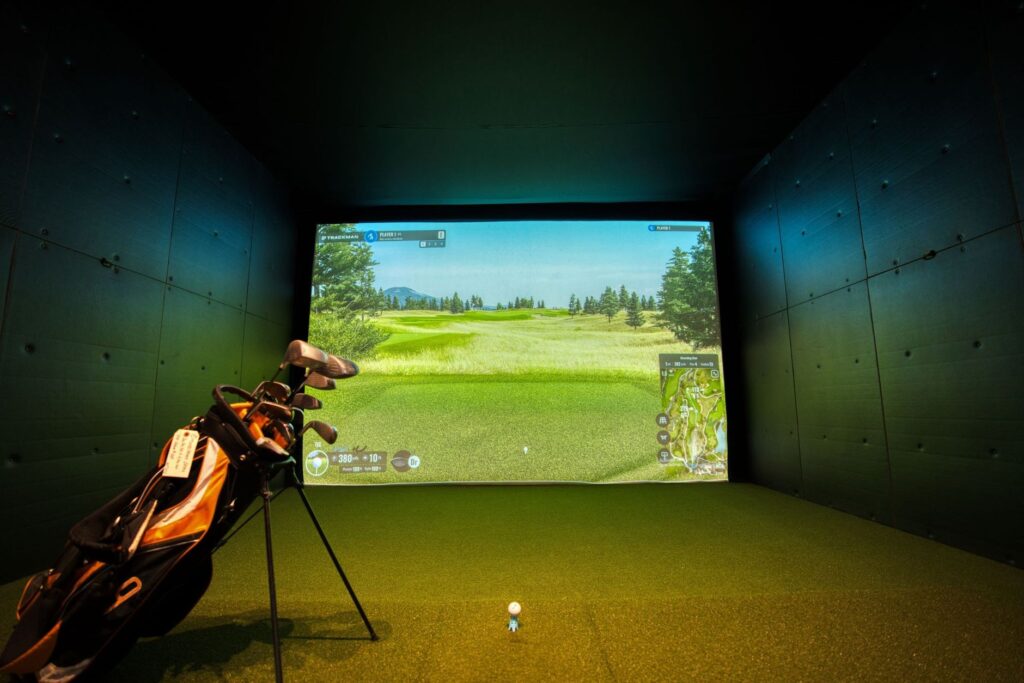
- Projector or Screen: A high-quality projector can display realistic visuals, while a durable impact screen will withstand your shots. Look for screens designed specifically for golf simulation practice.
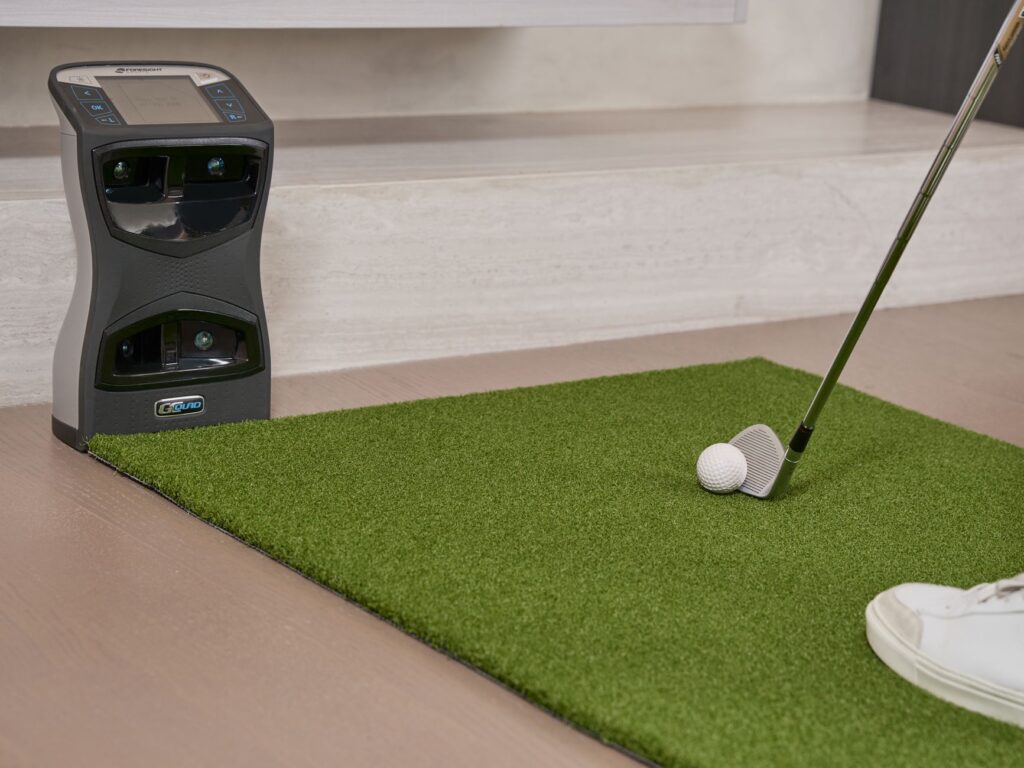
- Launch Monitor: Essential for capturing swing data and ball flight information. This is a core element of most golf simulator systems.
- Mat: A good hitting mat mimics the feel of grass and protects your flooring.
Additionally, consider incorporating indoor golf tech like an iPad or computer to run the simulator software effectively. A dedicated space with proper lighting will enhance your experience and performance.
Installation Tips for Golf Simulator Systems
Once you have all your equipment, proper installation is key. Here are some practical tips:
- Choose the Right Location: Select a space with minimal distractions and enough ventilation.
- Secure Your Screen: Make sure your impact screen is taut and securely mounted to avoid sagging.
- Position Your Projector: Place the projector at the right distance to ensure a clear and large image on the screen.
- Test Your Setup: Before diving into simulation practice, take time to calibrate your equipment to ensure accuracy.
By following these guidelines, you can set up a home golf simulator that provides an immersive and effective training environment. With the right golf simulator systems in place, you’ll be well on your way to improving your game.
Maintaining Your Golf Simulator System
To fully enjoy your golf simulator systems, regular maintenance is essential for ensuring optimal performance and longevity. Proper care not only enhances your simulation practice experience but also prevents potential issues down the line.
Regular Care and Updates
First and foremost, keeping your software up to date is crucial. Manufacturers often release updates that enhance performance, fix bugs, and add new features. Set a reminder to check for updates at least once a month. Additionally, ensure all related indoor golf tech, such as sensors and cameras, is functioning properly. Regularly clean these components to prevent dust buildup, which can interfere with readings and accuracy.
Physical care extends beyond just cleaning; make sure your setup is in a controlled environment. Avoid placing your golf simulator system in areas with extreme temperatures or humidity, as these factors can damage electronic components. A well-ventilated space also helps prevent overheating.
Troubleshooting Common Issues with Golf Simulator Systems
Even with regular maintenance, issues may arise. If your simulator is not registering shots, first check all connections, ensuring they are secure. If the software freezes, restarting your system often resolves minor glitches. For persistent problems, consult the user manual or visit the manufacturer’s website for troubleshooting guides.
Additionally, if you notice discrepancies in ball tracking or shot data, recalibrate your sensors according to the manufacturer’s instructions. Many companies provide detailed guidelines for recalibration online.
By following these maintenance tips, you can enjoy a seamless golfing experience in your home with golf simulator systems while avoiding common pitfalls. Regular updates, physical care, and troubleshooting can keep your system running smoothly, allowing you to focus on improving your game.
Conclusion: Choosing the Right Golf Simulator System
Final Thoughts on Indoor Golf Tech
As we’ve explored throughout this article, golf simulator systems offer an incredible opportunity for golfers of all skill levels to enhance their game from the comfort of home. Whether you are a seasoned pro or just starting, the right system can provide valuable insights into your swing mechanics, ball flight, and overall performance. With an array of options available, it’s crucial to consider your specific needs, such as space, budget, and the level of detail you desire in your simulation practice.
Achieving Better Practice at Home with Golf Simulator Systems
Investing in indoor golf tech not only makes practice more accessible but also allows for a more tailored approach to improvement. Look for systems that offer features like customizable courses, swing analysis, and integration with other devices to maximize your training potential. Remember, the goal is to find a simulator that fits seamlessly into your lifestyle while helping you track your progress and refine your skills.
take the time to evaluate different golf simulator systems, read reviews, and possibly try out a few before making your final decision. With the right choice, you’ll transform your indoor space into a personal golf haven, ready to support your journey toward becoming a better golfer.
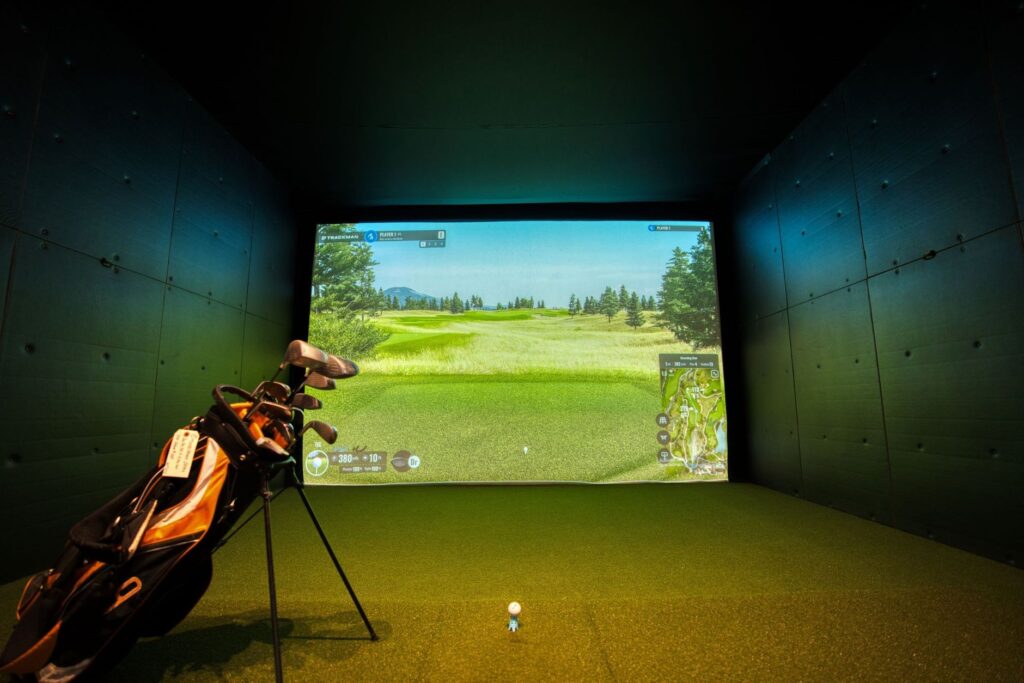
Investing in golf simulator systems can truly transform your indoor golf experience. With the latest indoor golf tech, you can practice your swing and putting skills without ever stepping foot on an actual course. Whether you’re a beginner looking to improve or a seasoned player wanting to refine your game, these systems offer a range of features that can elevate your simulation practice to new levels.
As you explore the options available, consider what features will best suit your needs and budget. From advanced swing analysis to immersive virtual courses, there’s a golf simulator system out there that can meet your requirements. Ready to take your game to the next level? Start researching the best options today and bring the golf course right into your home.
“`html
What are the best golf simulator systems for home use?
The best golf simulator systems for home use include options like SkyTrak, TrackMan, and OptiShot. Each system varies in features, accuracy, and pricing, catering to different skill levels and budgets. SkyTrak is popular for its balance of performance and affordability, while TrackMan is favored by professionals for its advanced analytics. OptiShot offers a more budget-friendly option, making it accessible for casual golfers. Choosing the right system depends on your specific needs, space, and how serious you are about indoor golf tech.
How do golf simulator systems work?
Golf simulator systems work by using sensors and cameras to capture the data of your swing and the golf ball’s movement. This data is then analyzed to provide real-time feedback on metrics such as distance, ball speed, and angle of launch. The system projects a virtual golf course on a screen, allowing users to play simulated rounds. Many simulators also offer practice modes to improve skills, making them an excellent tool for simulation practice and honing your golf game indoors.
What features should I look for in a golf simulator?
When selecting a golf simulator, consider features such as accuracy, software compatibility, and ease of setup. Look for simulators that offer multiple game modes, detailed analytics, and customizable settings. A good display screen or projector is also crucial for an immersive experience. Additionally, check for compatibility with other indoor golf tech like launch monitors and swing analysis tools. Features like realistic courses, multiplayer options, and training aids can enhance your practice sessions and overall enjoyment.
Can I use golf simulator systems for practice indoors?
Yes, golf simulator systems are specifically designed for indoor practice. They provide a realistic environment where you can work on your swing, putting, and course management without needing outdoor space. Many systems have dedicated practice modes that focus on specific aspects of your game, such as driving or chipping. This makes them an excellent choice for golfers looking to improve their skills year-round, regardless of weather conditions.
Are there budget-friendly options for golf simulators?
Yes, there are several budget-friendly options for golf simulators. Brands like OptiShot and Rapsodo offer entry-level systems that provide a good balance of features and performance without breaking the bank. These simulators often come with essential tracking capabilities and basic software. While they may lack some advanced features found in higher-end models, they are suitable for casual golfers or those just starting with indoor golf tech.
How much space do I need for a home golf simulator?
The amount of space needed for a home golf simulator can vary depending on the system you choose. Generally, a space of at least 10 feet in width, 15 feet in length, and 9 feet in height is recommended for a comfortable setup. This allows enough room for your swing and for the simulator equipment. Always check the specific space requirements for the simulator you intend to purchase, as some models may need more room for optimal performance.
“`